Introduction/ Pre-Ramblings to this series
UPDATE: I’m already totally rewriting the chapter so you can ignore this post. The comments given were really useful so I’m back to editing!
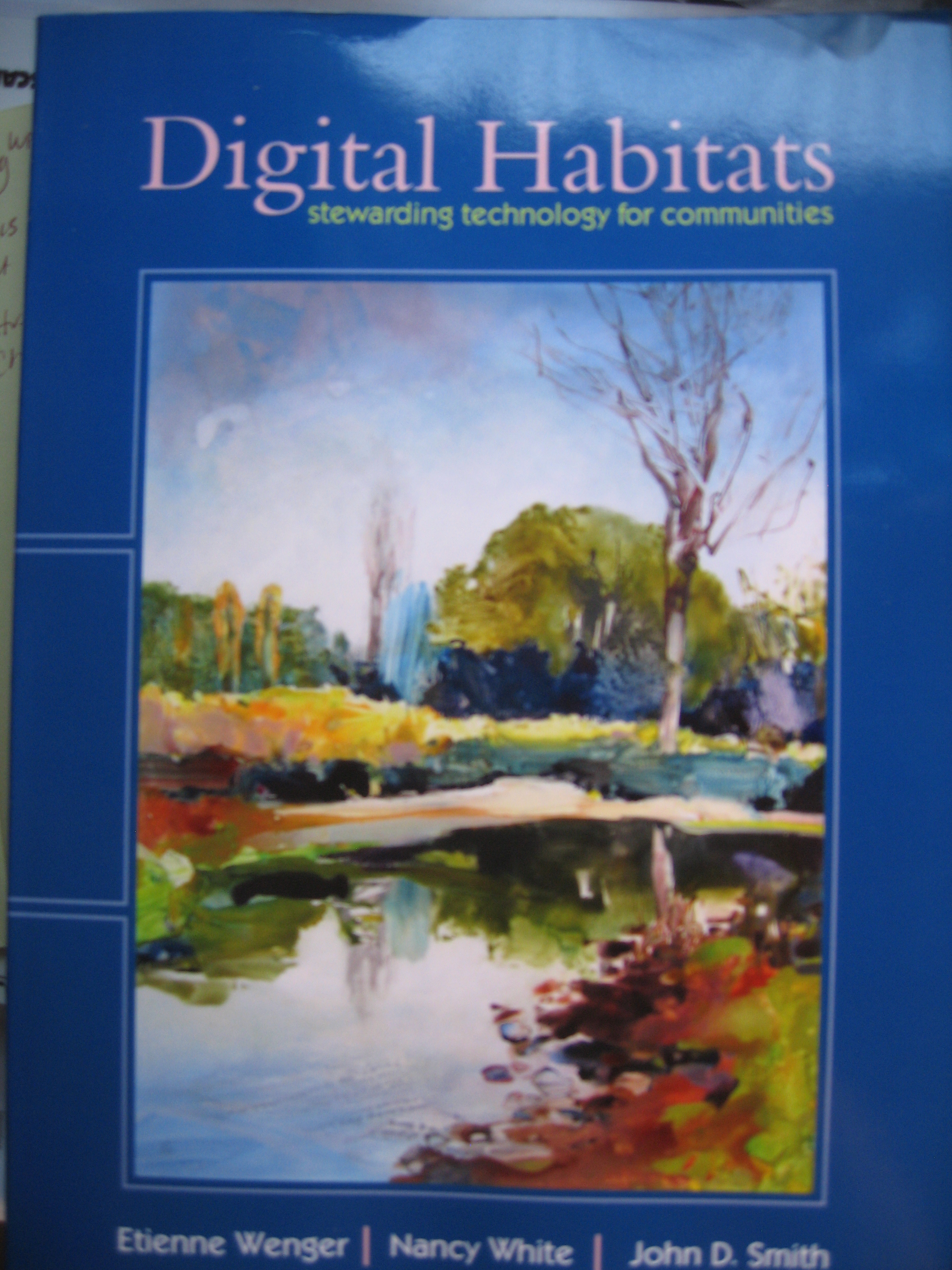
Twice in my life I’ve co-written books with wonderful, brilliant friends and colleagues. The first book in 2009 was Digital Habitats: Stewarding technology for communities with Etienne Wenger and John D. Smith. It focused on how technology stewards, the people who end up provisioning their communities with technology, understand the challenge and do their jobs.
The second one is not done yet. Ha! I’m working on a book with Keith McCandless, co-originator of Liberating Structures (LS). Like Digital Habitats (DH) worked to support distributed communities of practice, the new LS book is intended to help practitioners use LS offline and online. In both, understanding the technology options and the practices is critical.
As we started to draft the chapter about the tech and online aspects of LS, I found myself revisiting some of the frameworks and practices we wrote about in Digital Habitats. I noticed intersections! My first instinct was to pull ALL these ideas From DH into the new LS book. Simultaneously Keith has been developing perspectives about the interactions required for LS that I needed to examine from a tech perspective. But dang, between Keith and I, we keep adding things until, as we say to each other, our “stack” is too high and threatens to topple and crush the reader.
When I woke up one beautiful Sunday morning I thought, why don’t I write 2-3 blog posts framing the more general stuff and then keep the book cleaner and simpler. We could always repackage the blog posts as extra book downloads, links, etc.
So you, dear readers (as I jokingly say, all seven of you) are now my guinea pigs. And I say that with love and respect. 🙂 I’m planning a four part series working from the more general framework perspective, through dealing with technology specifically , a look at the roles that help us pick and use technology, and finally a summary of some of the more central practices of moving LS online. The book will be the place for the more extensive material on practices. Ready? AND PLEASE LEAVE YOUR COMMENTS!
In Search of Digital Habitats for Liberating Structures
This post focuses on evaluation of technology as it supports the practice of LS online. It does not offer specific platform recommendations and instead helps LS hosts and designers consider what is useful in platforms, the tools they offer and the features that make tools useful in a LS practice. This helps hosts focus on supercharging creative adaptability of LS rather than tinker with tech..
We think of this as creating a digital habitat for our LS work, a place that is a welcoming, beautiful ecology. Our insights are based on what we’ve seen and experienced. We aim to be platform-agnostic so you can adapt the insights to your tools. By the time you read this, there will be yet another platform to evaluate. These skills keep us ready for more change. We start by sharing a way to talk about technology. We move on to describe four lenses supporting LS. We weave a bridge between both the practical aspects of technology and the four lenses, offering provisional minimum specifications or min specs for technology selection and deployment. We focus on min specs, which detail only what is needed step-by-step for baseline function.)for tech for LS online, rather than deliver endless potential items that only serve to distract..
Talking About Technology
Face to face (F2F) Liberating Structures technology is the open and flexible meeting space. The space is welcoming, inclusive and aesthetic/beautiful. LS practitioners avoid rooms with fixed seating F2F; we ditch tables to have space for people to form pairs, quartets, and larger groups. We reconfigure groups at the drop of a hat. We use large, collaboratively created visual aids to make meaning, collecting and reconfiguring the ideas, data and artifacts produced, while people work on their challenging purposes.. We alternate periods of quick, multi-conversations with moments of quiet reflection and solo thinking. This means no big tables, no nailed down chairs that focus on a podium or a stage. constructing shared visuals,. It is a physical manifestation of distribution of control, supporting groups to do more than they ever thought possible.
Online the platform becomes the “room” where we use LS to accomplish our purposes. Our chairs are our own chairs in front of a screen. Flexible group configuration happens through breakout rooms and chat options that give everyone a voice. Visual tools inspire creativity and sensemaking as a group uses LS to address their challenges and purposes. Ideally these experiences are offered in a way everyone can accept, and even enjoy!
To help us discuss with a little subtlety, we are borrowing a framework to help us talk about technology with the technologists, decision makers and the people who make it work during an online gathering, the tech hosts. We need a level of granularity that is often missed when we just talk about the platforms like Teams and Zoom, and don’t look at things that make them suitable for LS (or not!)
Platforms
A platform is a technology package that integrates multiple tools. Some platforms have just one tool but most combine several tools, allowing users to sign in once and access most of what they need. This is easier than using separate tools with different sign-ins. Examples of earlier and still used corporate platforms are Microsoft 365 and Google Drive. We tend to think of platforms more flexibly and expansively than 10 years ago, with incredible growth since the pandemic sent us all into remote work. Platforms are dynamic. Apps bring integration of tools that were formerly separate. Features change and these may be slipped in with no notice or documentation. One day there was linear chat with no response buttons and the next day you could reply in thread to a chat post. Boom! All of this adds a wrinkle into our platform use.
Tools
A tool is a piece of technology that supports a specific activity, often built into a platform. Examples of tools include chat, video conferencing, discussion boards, file sharing, calendars and whiteboards. Oftentimes when we don’t have a full platform available to us, we cobble together a configuration of stand alone tools. This gives us a lot of choice, but comes with the overhead of usually requiring separate log-ins for each tool. Cobbling together free tools is a common strategy for communities and non profits without tech budgets or support.
Features
A feature is a characteristic that makes a tool or platform usable for a specific purpose. Some features are essential, while others enhance the experience. For example, a phone needs a microphone to function as a tool, but a mute button adds extra functionality.
Sometimes the line between tools and features is blurry. Features can evolve into tools. What matters is what we notice and make possible when we choose a tool and use its features usefully. When you can’t have breakout rooms for LS, you really miss them!
One caution: just because a platform has a ton of cool tools, or a tool has a ton of cool features, does NOT mean you should use all of them. We’ll talk a bit later about keeping things as simple as possible!
Let’s look at some examples of platforms and see how dynamic interaction translates into technology selection.
Platforms to See and Hear Each Other: Most LS online sessions are synchronous and require a video conferencing tool that allows multiple people to interact. We want them to be easy to connect to, affordable (free!) and not terrible in places of poor connectivity (often browser based). Ideally, and we would say essentially (but sometimes you take what you can get), they have useful breakout rooms.
Video conferencing platforms have come and gone, either going out of business or being absorbed by the likes of Microsoft, Google and others. Microsoft teams and Zoom are two of the dominant platforms we see with LS users as we write the book..
Microsoft (MS) has been in the business of collaborative platforms for a long time. The tool most looked to for meeting online is the video conferencing tool within MSTeams. It has rudimentary breakout rooms that don’t, in our experience, function as flexibly as Zoom’s. MSTeams also includes other features that may or may not be relevant such as project management, document sharing, and discussion threads. It is designed as a comprehensive platform with a prioritization of organizational control.
Zoom started as a video conferencing tool, focusing on improving video interactions and ease of access with web based entry points which differed from other platforms which required a download. Initially used for presentations and meetings. We notice that more LS practitioners prefer Zoom over Teams because of the functional video conferencing tool and the superior breakout room features. This was the key thing that helped us move LS online. Breakout rooms let us work in small to large groups, giving everyone more time and space to engage.
Zoom expanded exponentially during COVID both in terms of its client base and of the tool itself to support more creative interactions. It kept adding tools, and perhaps more relevant to us, features of those tools. We now consider it a platform. It has both synchronous (at the same time) and asynchronous (not at the same time) tools. The video is a synchronous tool. The scheduling tool is asynchronous. A video meeting is synchronous. A recording is asynchronous.
The distinguishing feature of Zoom’s video conferencing tool for LS use is breakout rooms. Zoom breakout rooms have valuable features like letting the host remix groups quickly, allowing people to independently move between rooms, and setting group size and timing. Additional video conference features include screen sharing, spotlighting, different display options, whiteboards, closed captioning, hand-raising, inclusion of simultaneous translators, the ability for co-hosts to text or voice message into breakouts, and other always-evolving features. External tools such as timers and whiteboards can be integrated into the mix. Attention now is on the integration of AI tools to summarize audio and text inputs, and serve as a note-taker for those who miss the meeting.
Zoom chat is a feature of the videoconferencing tool and has features of its own, such as enabling emoticons, replying to comments, and private, direct messaging during a meeting.
In recent years new platforms that emphasize other aspects of online interacting give us avatar based environments (Welo) where individuals have a lot of control of where they “go” in the online space, platforms that focus on integration such as Butter, WHAT OTHER EXAMPLES DO WE WANT?
Platforms and Tools for Artifact Creation and Support: Visual, audio and text all help share instructions and keep people’s attention in the often “less focused” online environment. They help manage content. The ability to play music can change an experience. These tools can be found integrated into tools in a platform, or used alongside a platform. Typically integrated tools include slide, audio and video sharing, chat rooms and simple whiteboards. Separate, more sophisticated white boards like Mural and Miro, can support the use of LS templates with stickies, drawing, annotating and polling. Shared document editing offers an alternative for writing exercises and sharing out key content.
Chat input can be transferred into a white board and automatically turned into a set of e-stickies. Audio, video and text transcripts can be run through AI tools to create summaries and other artifacts. The ability to organize and use these visual, textual and audio artifacts after a gathering can help groups “lift off from where they left off” between meetings. For example, if 30 people post a 15% solution (an immediate next step to whatever the group is focusing on) those can be sorted on a whiteboard or digested by the AI tool. We do caution to be careful with AI/LLC tools which may over simplify or reduce important complexity to a point where it is unusual.
Some sessions merit full audio and/or visual recordings, while others do not. The feature of recording is nice to have. Consider sessions that build and share a lot of knowledge yet not everyone can attend – a recording can bridge that gap. When you have to have multiple meetings to accommodate time zones, expository sessions, such as Celebrity Interview, can be recorded in the first meeting and shared in the second.
There are some downsides to this ease of creating and sharing meeting artifacts. There can be too much information, a lot of garbage and insufficient time/energy or even purpose to make sense of the data. So think twice before you capture everything. (And we’ll circle back to this when we talk about technology stewardship roles!)
From a general technology provisioning perspective, here are a few hints:
- Start with platforms people already use if you can. It cuts down on learning time.
- Keep it simple, especially for one time meetings. People are restless when they have to spend too much time fiddling with the technology
- Build capacity to use tools over time for groups that meet regularly.
- If your organization restricts your platform choices, help them understand why different tools and features make a difference. If stuck, meet on someone else’s platform.
- Be aware of privacy and security issues. This includes not only when you need a platform secure, but also when the artifacts generated are sensitive or create risks for people. In these cases, avoid public online tools.
- Use a platform’s accessibility features for inclusion. This can be as simple as both voicing instructions and providing written instructions.
Exploring Platform Usability
Theoretically going online creates the potential to include and engage more of the people involved in a challenge, system or situation. We can scale to larger groups. This is a yes/AND situation because while we can invite everyone to participate, we also need to think anew about designing for all these people. We must design our tools and practices for LS online to include everyone. It is our job as hosts to consider internet access, tool accessibility, and how we practice LS in the online context. Online tools have to be accessible, equitable and inclusive. User experience design of a platform may or may not attend to this. Practices need adjusting. How do we scale working with the artifacts generated? How does the platform keep a human touch as the group size expands, both in plenary and in break outs? What we do with a group of 30 may need adjusting for a group of 90, or 200. We can learn from the disability and disability justice communities to improve our practices today. As we move LS online, the experience must be accessible to people in diverse contexts. And at the practice level, we know how to adapt to each group’s unique qualities.
Here are a few usability considerations and questions to keep in mind as you select and configure your software.
Internet Access: Online implies having internet access. That doesn’t necessarily mean everyone shares the same context. Connectivity may vary, making video unavailable to some. Cost of internet can be a barriers. Consider: Internet access: In northern Europe or North America, We might assume everyone has good internet access, but 10% of Americans still don’t1. Globally, 60% had access in 2021. Poor connectivity can make video challenging, suggesting audio-only as an alternative.
Affordability: Consider who bears the cost of internet, software, and tech support. Ideally, individual costs should be zero or shared across those who can most afford to pay. Find out if your participants have affordability access issues and then provide internet connection vouchers.
Devices and processing power: Not everyone uses a computer or has a powerful enough machine to meet the demands of video conferencing software. The platforms we select for LS should work on phones, and tablets, not just computers. Test how things work, particularly when shared visual creation is involved, or the need to type in chat – something that is hard or impossible on a smartphone. If you must use a tool like a collaborative white board, encourage people to join from a computer and not a smaller portable device!
Stretch your imagination for when our mode of interaction is restricted. This is an edge case for most of us, but a common reality in rural communities across the world. What would a string of LS look like with audio only? In an asynchronous chat thread? Be bold and consider the options.
Accessibility: Platforms ideally include disability access from the start, not as an afterthought. Explore how your platform supports differently-abled users with features like transcription, closed captions, auto-translations, and screen readability. Can you seamlessly use and switch between audio/video/text and visuals? Is there support for auto translation and real time human interpretation? Importantly, as host, do you know how to configure and use these tools in your selected platform?
Technical Support
We can’t assume everyone has identical technical skills. Plan for extra technical support to troubleshoot. This can look like having additional tech hosts who can help people one on one.
A note about hybrid contexts )(STILL NEED TO REVIEW OR DELETE: Hybrid meetings, where some people are online and others are F2F, need extra planning, coordination and support to ensure everyone is fully engaged.
The meeting elements/experiences should be equally valuable for those online and off. We love it when design teams include advocates for the online participants in the F2F rooms, create inclusive breakouts that don’t segregate online and offline participants and maintain human connections between both environments. You need close attention to quality video and audio both from those in the room and remote folks and some very specific practices using the technology.
In reality we find this VERY hard and often see hybrid meetings reinforcing power differentials rather than including and engaging everyone. If you are hosting hybrid LS sessions, there are pointers to some useful hybrid resources in Appendix X. and we would LOVE to hear about generative hybrid LS sessions you have run or experienced! .. REFER TO A GREAT RESOURCE ON HYBRID. POSSIBLE FERNANDO STORYre adapting Celeb Interview
Four Lenses for Supporting LS Online
Practicing LS is about more than technical usability. It is also about how we embrace the principles of LS as we practice online and tap into the strengths of LS. We offer four different lenses and some minimum specifications for each of these as an alternative way of looking at how we support LS online.
They are:
- supporting creative adaptability, a flow state of heightened awareness and purposeful action within a group
- distributing more control to participants so that they can adapt to changing local conditions
- enabling dynamic group interaction as specified in each LS in a group using the structured interactions specified by each LS
- experiencing this together in a flexible, welcoming space with attention to inclusion and aesthetics. We explore how an online space both invites engagement and makes it easy to use all our senses.
Supporting Creative Adaptability
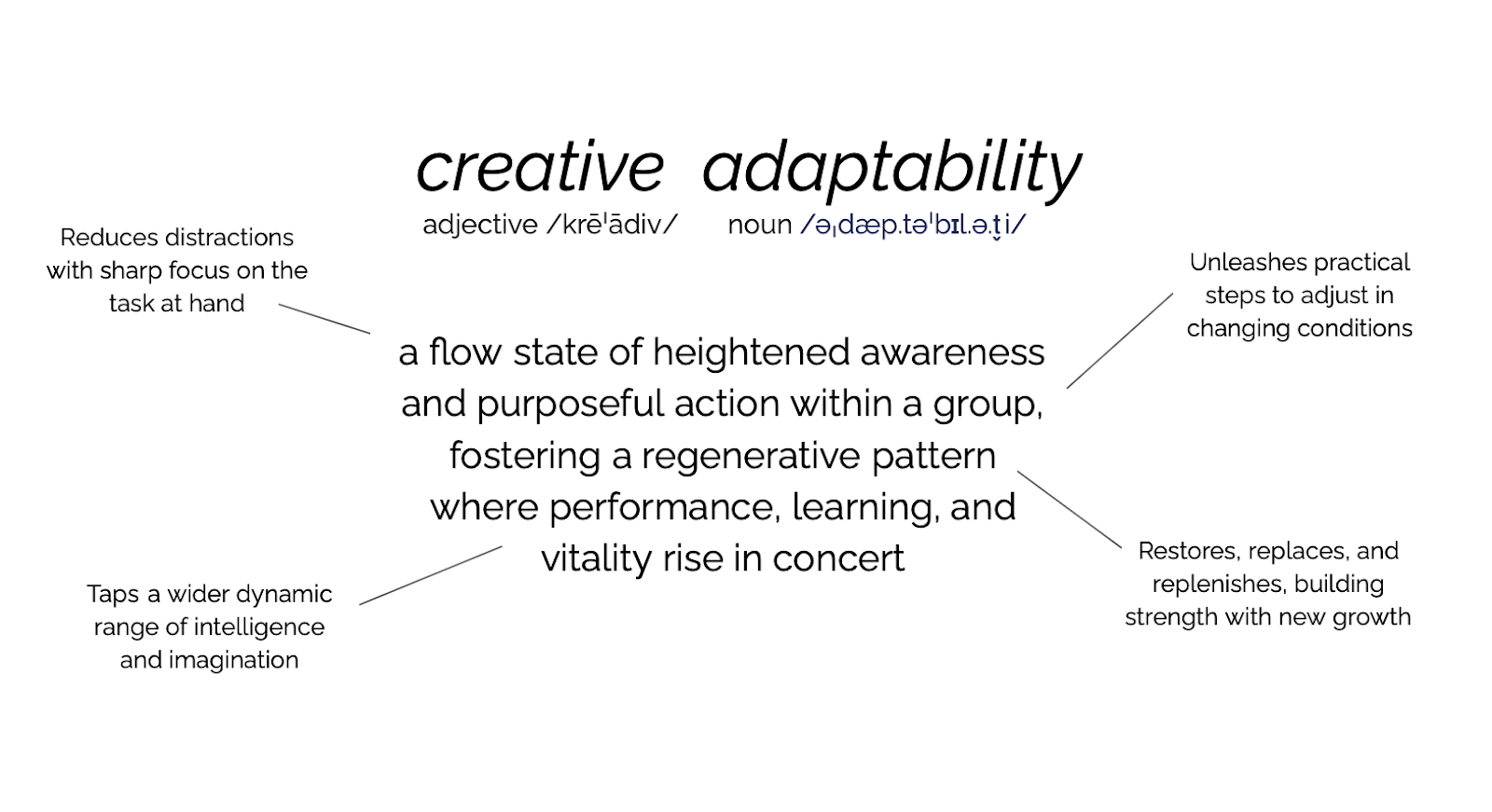
Some people talk about LS as “magic.” We describe this as creative adaptability. Creative adaptability is a flow state of heightened awareness and purposeful action within a group, fostering a regenerative pattern where performance, learning, and vitality rise in concert. Individuals are fully immersed in the creative process.
This state is achieved through structured interactions that deepen connection, increase clarity, and generate new options, enabling the group to author its own direction with velocity amid uncertainty and complexity. It is a learned skill, accessible to all, that reveals the innovative potential hidden within every interaction. (We talk about this in the book!) And yes, it can feel like magic when people bring their best to solving their challenges!
The key benefits of creative adaptability are::
- Laser Focused: Distraction is reduced. Energy is increased. A state of heightened consciousness and effortless action where individuals are fully immersed in the creative process.
- Practical: A learned skill that is within everyone’s reach, not an elusive superpower.
- Regenerative: A self-reinforcing cycle of growth and renewal where each action and insight builds upon the last, and participants recover/restore their problem solving and innovative capabilities.
- Synergistic: relational coordination that gains strength and rises together by building collaborative “muscles”
Provisional Min Specs for Creative Adaptability
Platform support for creative adaptability includes:
- Video conferencing and P2P chat supports all elements of CA by enabling people to be seen and heard clearly without over centralized control.
- Easily reconfigured breakout rooms – Supports regeneration and laser focus through small groups. Thrivable as groups easily tap into new configurations as the work proceeds.
- Ease of use – the technology is simple to use and does not distract from the work. (Laser Focus)
- Inbuilt visual tools – Visuals are easy to create by the participants and can be built on through the work (Regenerative)
Supporting Distribution of Control
Distributing control means moving away from centralized control of the action and decision making and moving that control out to everyone who has a stake in the outcome. From our perspective as LS practitioners, the first and essential distribution of control is through the LS practices themselves. This happens through the steps of each structure and is supported by the LS principles.
Remember, they ARE structures so there is some control, control that creates freedom. We refer to this as the space between over control and under control. For example, 1-2-4-All respects individual thought and autonomy and builds to the collective. DAD (Discovery and Action Dialogue) surfaces knowledge and expertise with people closest to the action.
Distribution of control works to short circuit central, hierarchical control so that every person can contribute towards solutions and next steps. The power comes from more people included and invited to shape next steps with a wider dynamic range of their intelligence and imagination. When we work F2F, we have the ability to configure our meeting rooms and visual tools to accommodate this distribution of control and creative adaptability is easily available.
The second type of control is that which is manifest through the software. This control is commonly centralized and “baked into” the software. Who can install it? Who can set up and use it? Who can participate? The core of an organization generally controls the software. Institutions want to mandate which technologies will be made available and how to use them. This logically helps organizations provide technical support, save money, and define policy parameters. Functionally, this puts control in the hands of the person who selects, owns or controls it. As host or designer, you have to find a way to bring some of that control into your sphere.
When handed to the user, they may only see the default platform settings which tilt towards the over-control interaction (eg.. presentations, spotlight one voice and mute others, people aren’t allowed to chat with other participants, screen sharing is limited, etc.). The periphery, the people closest to the action, don’t question the software options. They give up autonomy, even without knowing it.
In practice, many well known platforms limit or make it hard for the rapid changes of group size used in LSs. They may prioritize one mode of interaction (presentation) over another (rapidly remixed conversations), and in general reinforce traditional meeting dynamics of the leader controlling the action. It reinforces negative patterns of a handful of people dominating an interaction again and again. Consider the counterexample of putting some direct control in hands of people such as self selecting breakouts.
If your organization limits the choice of technologies you can use for your LS gatherings, push back a little. Help decision makers see you are not asking for full devolution of control to you, but a path to distribute the meeting interactions to those on the front line that works around the centralized software model. As host, ask for more permissions. Learn how to change how the platform is used, and have control over the selection of settings of tools and features. Learn how to adapt the tools with workarounds (more work, but it can pay off) or avoid using them all together by “borrowing” someone else’s platform for high stakes gatherings.
Keep these types of control in mind as we explore platform minimum specifications (Min Specs) going forward. We know the combination of these two types of distribution of control makes it trickier to meet our requirements of including a lot more people. We want everybody. Simultaneously we want people t0 shape subject matter, next steps, their contribution to the world with these other people and do this with ease. And style! And a sense of beauty. Autonomy, freedom to move around and do things within any activity we have designed. In a perfect world, we wish for that freedom to shape next steps to be infused or wired into the online platform. In the meantime, we improvise!
Provisional Min Specs for Distributing Control
As we look at the min specs for distributing control from a platform perspective, we build on the elements that support creative adaptability. Distribution of control from the LS perspective can be considered as each element of an LS is made possible online.
- Host can configure the tools and features of the platform in use (if not choose the platform itself).
- Users can turn on/off their audio and video, choose breakout rooms when invited, and be able to see the chat of all users, not just those with administrative rights.
- Users can choose and access transcription and automated translation services to ensure everyone has the ability to participate. Platform should be screen reader friendly if no automated transcription tools are available.
- Easily configurable breakout rooms to support the group size and breakout timing variations specified by each LS. There are creative hacks when a tool does not have breakout rooms. You can: spawn separate instances of the tool, have people call each other on their phones, or have pairs directly message each other. This takes more coordination and creates overhead that can slow things down. Poor tech = friction! Practitioners have also experimented with audio-only and asynchronous LS. It’s worth considering what these formats could offer and what tools would be needed. A simple discussion board or email list could support asynchronous text interactions.
Enabling Dynamic Interaction Specified in Each LS
When we practice LS online, we can consider how to technologically support the three dynamics of LS interaction, fast and slow velocity, artful repetition and maximum mixing. And we can consider how the individual DNA for each structure can support interaction online. This is where we need to give attention at a LS usability level – to the platforms tools, their features, and how we use them to make the LS DNA and the three dynamics come to life.
LS DNA
You can look at 5 structural elements of each LS and ask “can my online platform support this as specified? Do I need to adjust anything in the practice to make the LS work online? We will talk about these adjustments later in this chapter.
- Structuring invitation
- how space is organized and materials needed,
- how participation is distributed,
- how groups are configured and
- the sequence of steps, time allocation and transitions
Structuring the invitation is technology and dynamics independent. It can be expressed verbally, visually or in writing and most platforms support this. Structuring the invitation underlays all three dynamics. So we can count this as easily supported online.
Structural elements 2-5 all have technology dependencies online. Some of them are more closely linked to the three dynamics, and others support multiple dynamics. For example, velocity can be expressed in more than one element, but it is strongly expressed in #5. Technologically this is supported by platforms that support quick transitions, flexible groupings and the use of visual aids that help carry insights from one round to the next. So breakout rooms, chat, and a whiteboard that supports templates might be the min tech specs.
Provisional Min Specs for Dynamic Interaction
Fast and Slow Velocity asks us to shake loose imaginative solutions, quiet the inner critic, spark surprising combinations and interpret information with fresh eyes.
- The platform should make it fast and easy to change group configuration
- It should feel easy to hold moments of quiet reflection. One of the core LS patterns is “first alone…” making space for everyone to think versus simply react. Muting, turning off cameras and other features help bring this productive silence.
- The platform should enable easy member generated input (chat, visuals, templates for organizing ideas that can be later reflected and acted upon. We want to make it easy for people to use the online tools so that we can accomplish fast, as well as slow modes of interacting without a lot of friction caused by hard to use tools, multiple logins and operating system specific platforms.
Artful Repetition operates within an aesthetic environment to build confidence to experiment in multiple rounds, cross pollinate between roles, nurture hunches and gather data as you go.
- This requires platform tools for iterating, layering, and remixing what people generate as the group moves forward. People can nurture hunches while moving through creative renderings. For example, a group runs a LS once, sensing there is more to be gotten from it, and runs it again. It means taking something generated with one structure and reusing and remixing it in another. An example is generating ideas, iteratively developing those ideas and then making plans for the next step.
- When we talk about content, we want to support the use of multiple senses. Can we seamlessly include visuals, music and even movement? How does technology make it easy to draw, hear, and respond in text and verbally. This has implications for the look and feel of tools like chat, whiteboards, accessible polling data (users can see and interact with the data, not just the person who created the poll), and annotation.
Maximum Mixing is the most essential specification as it translates into easy to create, remixable breakout groups.
- There are many ways to improvise use of a platform for velocity and repetition, but without functional breakout groups, the friction of using unsuitable tools can be a huge barrier. Platforms like Welo, for example, give people avatars that can be moved by the facilitator, self-moved and visibly able to see the configurations of groups as they are created, recreated and remixed. ADD ANOTHER EXAMPLE
A Welcoming, Aesthetic and Inclusive Environment
A Welcoming, Aesthetic and Inclusive Environment
We wrap these dynamics in a welcoming, inclusive environment with attention to aesthetics and artistic interactions. There are means to work in multiple modalities. We can include interludes of music. We can alternate between identifying next steps, and visualizing them, returning iteratively until the picture is “clear.” For example, we can utilize three ways to expand our imagination about the transition we are working on. First, we generate sketches via : Drawing Together. We can draw on shared whiteboards, or even start on paper and show our images on camera. We can iterate ideas with story vignettes drafted via Appreciative Interviews; and, finally shape the next steps sparked by 15% Solutions. A skillful use/blend of tools supports this iteration from thinking, drawing, narrating and deciding by using tools that tap our multiple senses. We aren’t just listening with our ears, but we are creating visuals with our hands (and mice!). The ease with which the software allows these shifts makes everything flow. We think of this layering as artful repetition.
The aesthetics or visual presentation of corporate software is usually pretty flat so we need to bring beauty and the human touch through our practices.
Provisional Min Specs for a Welcoming, Aesthetic and Inclusive Environment
- Easy to use collaborative white boards
- Screen sharing with annotation
- Video conferencing with people’s pictures and/or avatar
- Emojis
- Ability to play music
- Ability to configure background colors and images
Our Wishlist
So what would we really want in a platform? We’d love video conferencing tools to include more robust ways to remix groups without having to return to plenary (a feature that just emerged on Zoom!), tighter integration of visual supports versus moving to a separate platform, and making it easier, overall, for people to move themselves between breakouts. We want it to be easy to create and iterate on images, ideally without having to hop to another tool (built in collaborative, expansive whiteboards, annotation tools and features like emojis that can bring a little joy and humanity to the party.)
We want a beautiful and simple user experience. User experience is still a bit tricky on many platforms. The user experience varies with operating systems (IOS and Windows) and on devices (from tiny phone screens to dual monitor setups!)
We are regularly surprised and delighted when new features make our lives easier. Let’s have more!
Summary and Next Post
Provisioning technology for LS online builds upon some of the basic attributes of LS. We explored the foundational aspiration of Creative Adaptability, giving us insight that our tools must support that adaptability we generate using LS. We looked at how distributing control, another essential element of LS, happens through both our practices and the interaction software itself. We then dug into the practicalities and requirements expressed by the three dynamics and 5 structural elements of LS to gather a high level snapshot of technical requirements or “min specs. All of this is wrapped up in the socio-technical aspects of a welcoming space, an inclusive space and a space that uses aesthetics to support the creative adaptability generated by LS in practice.
If you want to skip all the conceptual layers, these min specs manifest in two types of tools that we want in our interaction platform: Tools and features to see, hear and interact with each other, and tools for artifact creation and support.
Next in the series to help us “set the table” for actual provisioning and of tech for LS, we will review roles that help us make it happen.